In-Game Subscriptions and VIP Programs: What You Are Really Paying For
Monthly cards, VIP tiers and in-game memberships promise daily rewards. How they work, how auto-renewal works, and how to cancel cleanly.
Many free mobile games offer a recurring purchase: a monthly card that gives daily currency, a membership with perks, or a VIP program that unlocks benefits as you spend more. These can be good value for regular players, but they work differently from one-off purchases, and auto-renewal is easy to forget.
Three common types
| Type | How it works | Watch for |
|---|---|---|
| Monthly card | Pay once, collect daily rewards for 30 days | Missing days can mean missing rewards |
| Membership subscription | Auto-renewing perks such as no ads or bonus rewards | Renews until you cancel |
| VIP tiers | Perks increase with your total spending | Encourages spending to reach the next tier |
Monthly cards: the daily login catch
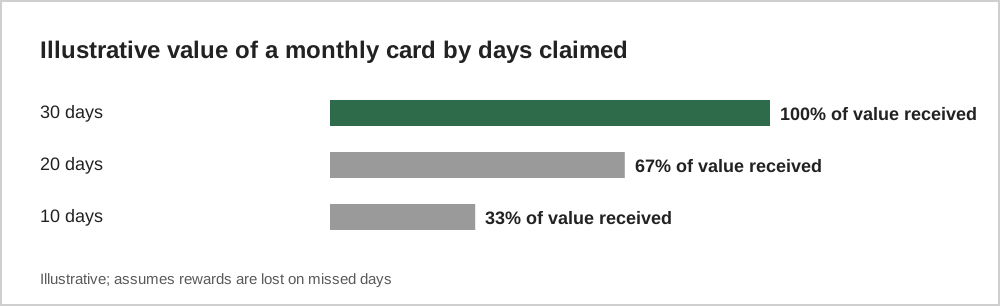
Monthly cards often look like excellent value because the total currency over 30 days is large compared with the price. The catch is that many require you to log in each day to collect. If you skip days, the effective value falls.
Auto-renewing subscriptions
Subscriptions bought through the App Store or Google Play renew automatically until you cancel. You can see and cancel them in your account settings:
- Apple devices: in Settings, tap your name, then Subscriptions.
- Google Play: in the Play Store, open your profile menu, then Payments and subscriptions, then Subscriptions.
Deleting the game does not cancel a subscription. This is one of the most common surprises for players.
VIP programs
VIP or loyalty tiers reward total spending with permanent perks. Because each tier is a little closer than the last, they can encourage spending to reach the next level. Treat VIP perks as a bonus for spending you would do anyway, not a reason to spend more.
Review your subscriptions regularly
A quick monthly check of your store subscriptions list catches anything you no longer use. It is the same habit recommended in our guide on setting a game budget.
A worked example
Imagine a monthly card that costs $4.99 and gives 300 premium gems a day for 30 days, but only if you log in each day. If you log in every day, you receive 9,000 gems. If you miss ten days, you receive 6,000, and the effective price per gem rises by half. Compare that with the game's normal shop: if $4.99 buys only 500 gems there, the monthly card is far better value, but only for daily players.
Now consider an auto-renewing subscription at $9.99 a month that removes ads and adds a daily bonus. Over a year that is about $120. Before subscribing, ask whether you would pay $120 upfront for those benefits. If the answer is no, the monthly price is probably hiding a cost that is too high for how you play.
Questions before you subscribe
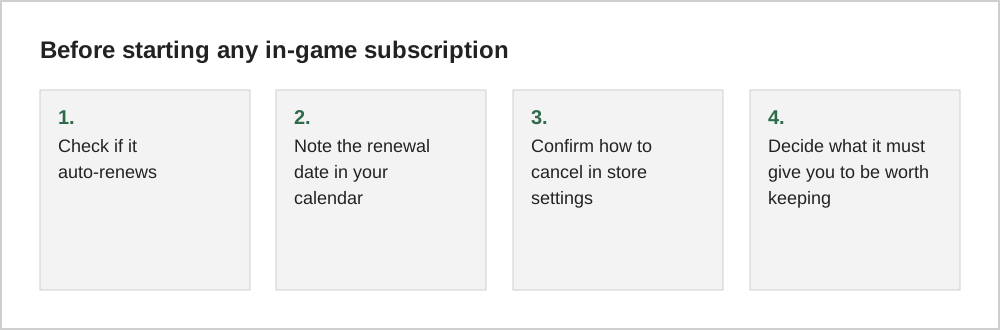
Ask four things. What exactly does the subscription give each day or month? Do the rewards require logging in? When does it renew, and at what price after any introductory offer? And what happens to the benefits when you stop paying? Some games remove bonuses immediately; others let you keep items you already received.
Common questions
Do I keep monthly card rewards if I stop playing for a week?
That depends on the game. Some monthly cards let you collect missed days later, while others lose the rewards for any day you do not log in. Read the card's description before buying, especially if your schedule is irregular.
Can I get a refund for a subscription I forgot to cancel?
Refunds for subscriptions follow each store's policies and are not guaranteed. The most reliable approach is to note renewal dates when you subscribe and cancel in advance.
The short version
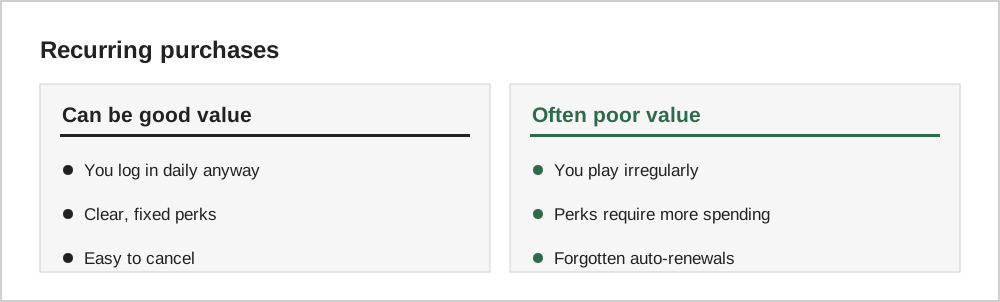
Recurring game purchases can be good value if you play regularly and know exactly what you get. Remember that deleting a game does not cancel a subscription, check your store's subscription list monthly, and treat VIP tiers as a bonus rather than a goal.